Mils
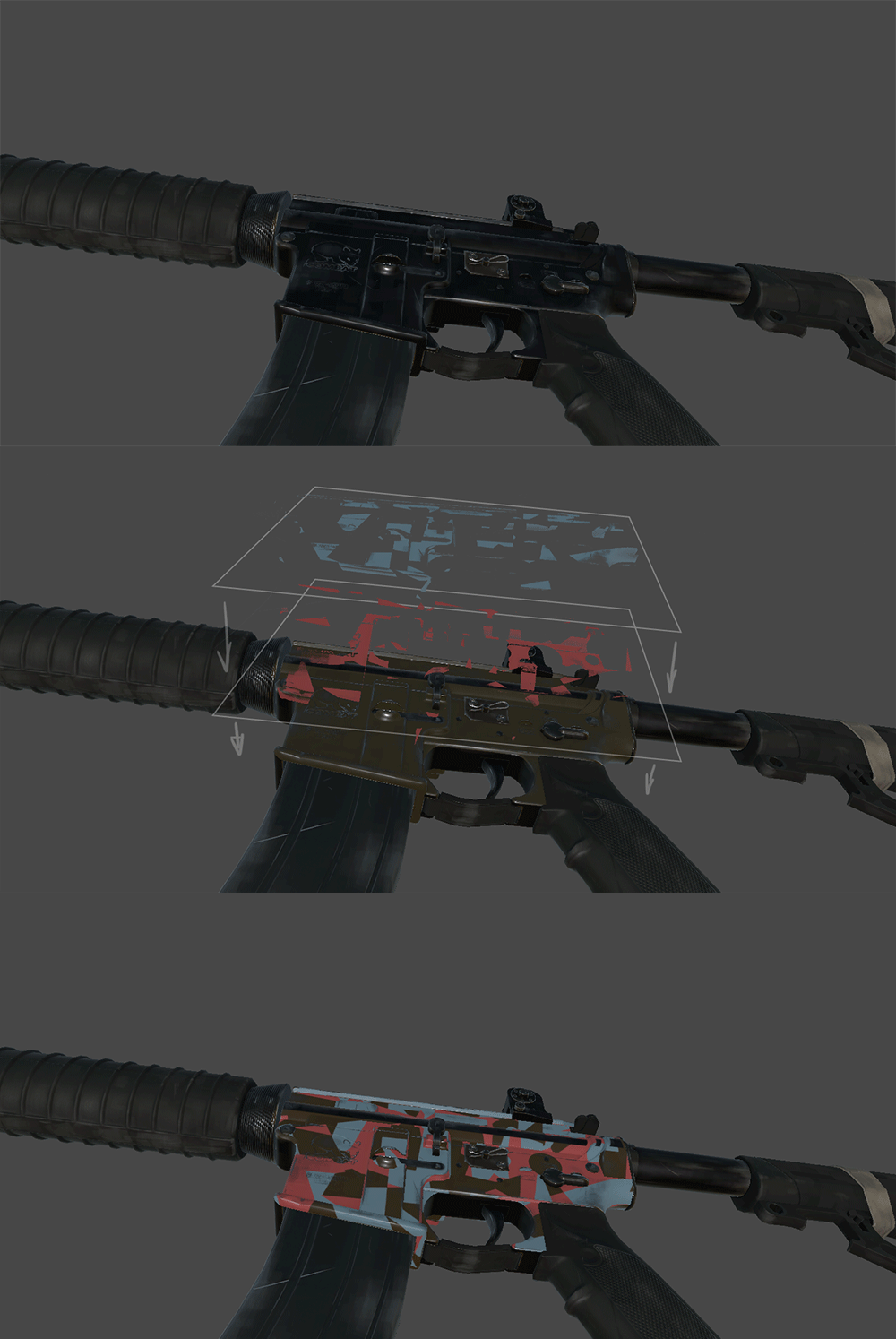
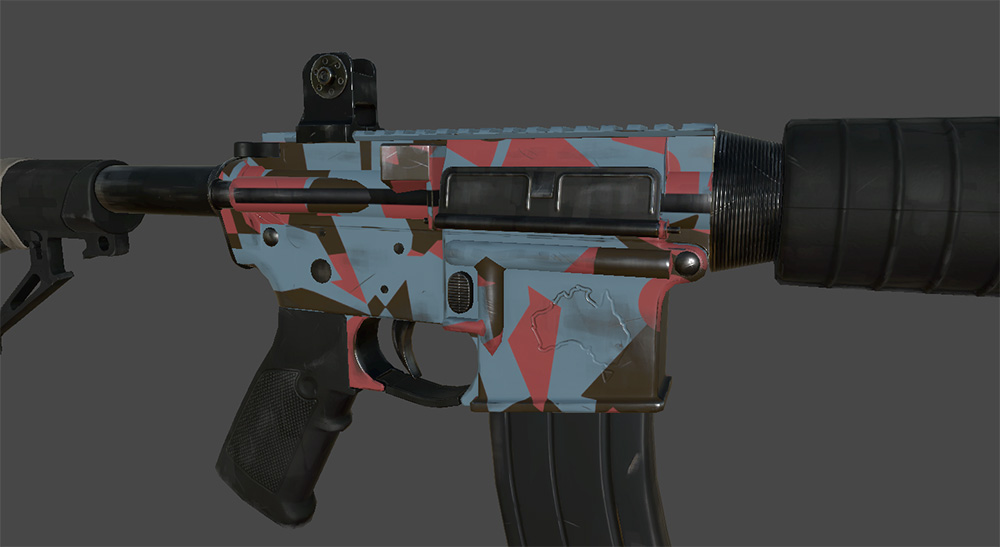
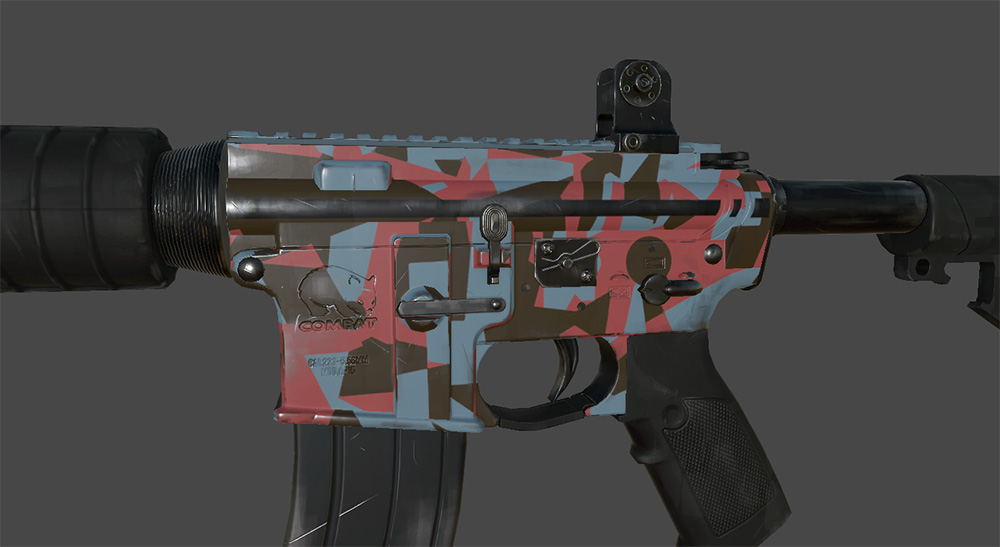
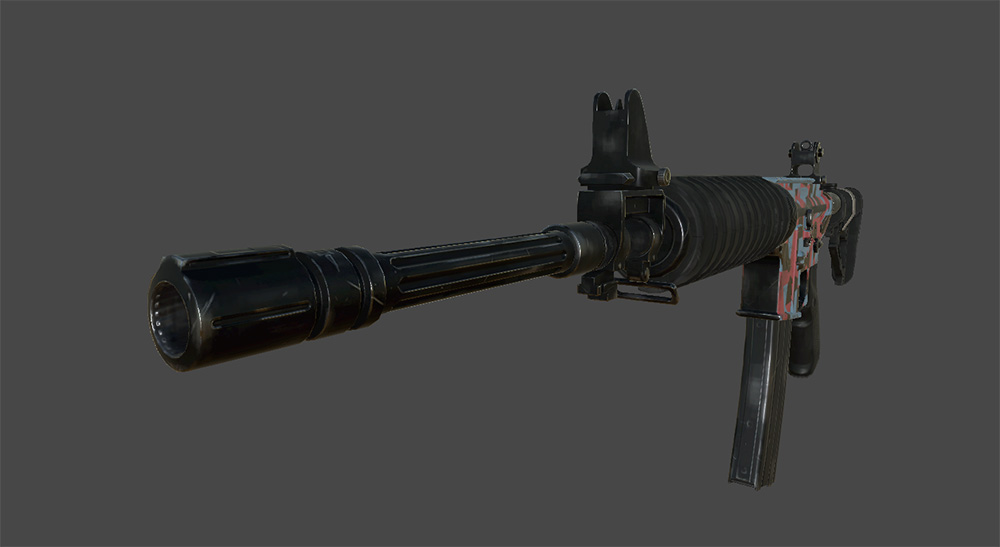
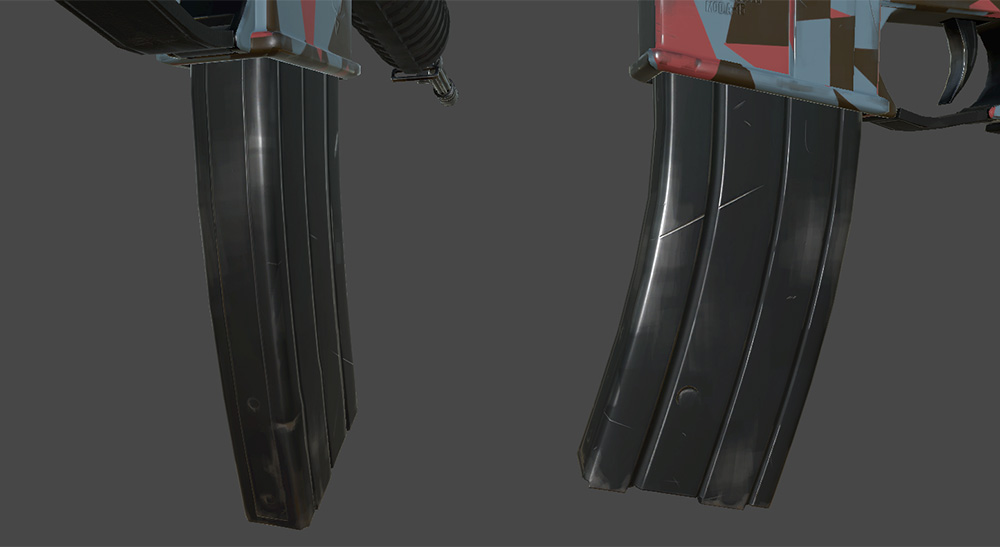
I finished one of the muzzle brake thingummies and a standard magazine, looking tasty (if you ask me) I also got onto testing the new Colour Mask Shader, which has been upgraded and now allows for a l0t more options. We can now mask with varying levels of opacity whereas before we had to mask 100% anywhere the designs would sit. This allows us to get a blend of mask colours that the player can change and the ‘set in stone’ Albedo (used to be called diffuse)
We have just this afternoon added functionality that will allow us to override the PBR properties under the mask. This will allow the player to change their Colour Masks from say Matte paint to Glossy or even Metallic. Whether we let people change these at their leisure will be a choice based on aesthetics and performance.
Cow_Trix
Hey folks. This week I’ve been working more on the crafting workflow, and looking into two new mechanics – repairing and scrapping items. Many items of course have durability, so after a while they’ll break. If you take it to the crafting machine that made the item (yourself if it was handcrafted) you’ll be able to consume some of the blueprint’s uses to repair the item back to full health. Doing this will require a new resource, scrap, which will be found in a lot of places around the world. You’ll also be able to turn some items into scrap, which will hopefully incentivise players to pick up loot while at the same time freeing up inventory space so it isn’t filled with a bunch of stuff you don’t want to use.
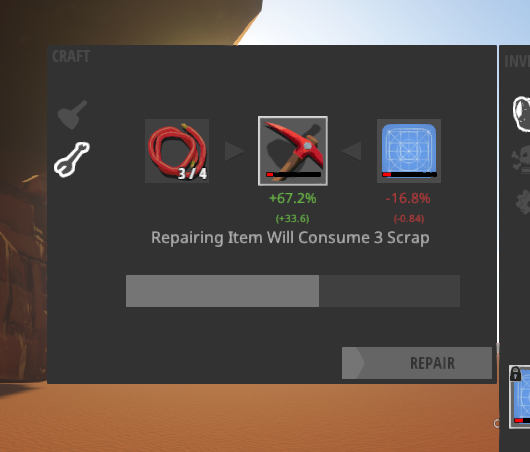
A lot of stuff influences how these values work – for instance, a degraded item will turn into less scrap than one that is brand new. Rarer items turn into more scrap and require more scrap to repair fully. At this point you can use any amount of scrap to repair your items somewhat, so even if you don’t have enough to get an item back to full health you can prolong it breaking a bit. We’re also intending on making repairing an item more efficient than crafting new ones, to create a sense of attachment to blueprints. Your gun is your gun, and while you can make other copies to give to your mates, it’s better to keep and repair it.
I also changed how Item Slots work again, improving their extensibility and ability to be customised for specific purposes. One example is the two new types of slot I’ve created for the repairing UI – the proxy slot, which can point to an item but not actually store it, and a collection slot, which easily shows all types of a certain item in a slot UI for showing how much scrap you have available to repair with.
Tom
This week I’ve mostly been working on the 0.3.8.3 hotfix. The way all our construction items are setup (both machines and construction hammer objects) a construction volume is set around them where we check against overlapping objects to determine if the object is able to be placed. For the update I separated the volume checks against players from the other checks against terrain, constructions and other objects.
This allows us to have a larger check volume against players that totally covers the entire collider of the object. This isn’t possible when checking against terrains, constructions etc. as we often allow them to overlap. For instance you can see the new storage chest validation, if we checked all layers against the outer volume you could never place it on a slope, only where it is perfectly flat.

It also turned out that the round pillars you can build with the construction hammer were inheriting a volume check from the slightly smaller square pillars so these have also been updated. If you are using a construction mod that’s setup to override the standard construction set and it contains pillars, it will need to be rebuilt!
Vehicles have had an entry check added that’s essentially the same line of sight check that they run on exit, this stops players entering vehicles through walls so you shouldn’t have to worry about parking on the edge of your garage where the interaction trigger can occasionally stick out. Players will no longer be able to use bugged vehicles as a bridge to get inside rocks and bases.
Also on the vehicle front, crashes have been changed so if the vehicle has an attached body simulation (where we connect a dummy rider to the vehicle via a joint, both the kanga and goat are setup this way), when crashing the crash vehicle is spawned at the location of the attached body rather than spawning at a preset location with a quick sight check. This solves a bug where sometimes the sight check would unexpectedly pass when it should’ve failed during multi-vehicle collisions, occasionally allowing players to crash through walls.
I also spent some time setting up vehicles in itemv2 ready for our new coloring system, now that we can change colors on a per item basis we will change vehicles so each panel can be individually painted. The backend technical side of things is working now for vehicles, up next is working out how this will fit into gameplay (ie. how to color something, what it costs, where to get these resources etc)
Spencer
This week I’ve been pushing forward with survival content, filling all our new awesome systems with a prototype progression for our upcoming survival test and have to say its coming together really nicely.
I started the week with a big wishlist of stat modifiers for equipment and am making my way through evaluating feasibility / implementing them as I go. To support things like clothing giving damage bonuses etc I extended the system I spoke about last week to enable attack effects to be derived from an entity stat on the attacking player. To achieve this, we create a second damage stat on the attacking player, one that can be additively contributed to by all equipped items via direct damage numbers or percentage multipliers, then a weapon will specify that it uses the result value of that stat as the attack effect amount. Another example of this is a mining helmet increasing your mine power while you have a pickaxe equipped.
This is our current wishlist for equipment stats:
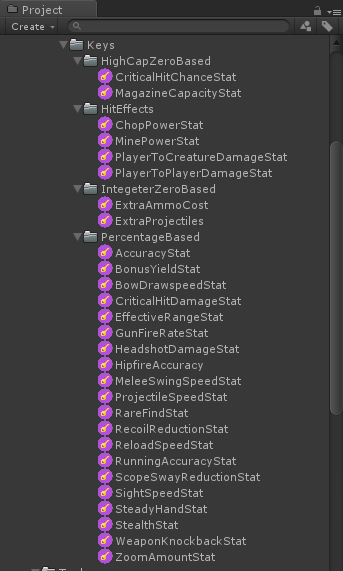
Not everything here will make it into the game, but I will do my best over the next week to implement as many as possible.
To support these new stats I rewrote a few tooltip panels for equipment to show their effects more clearly and support the new stat based effects.
I also spent about an hour building a system to procedurally name items, its mega basic and has no correlation to stat affixes, but at least makes it possible to tell 2 generated items apart. Eventually icons will actually render differently for different items to make sorting stuff easier.
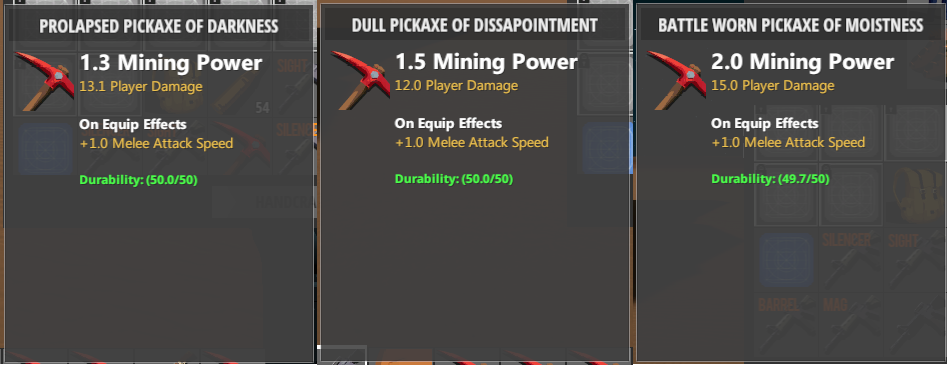
This name override system also makes it possible for people to name their own items. I would need to bang together a new machine to allow it in game, but all the infrastructure is there now.
TEHSPLATT
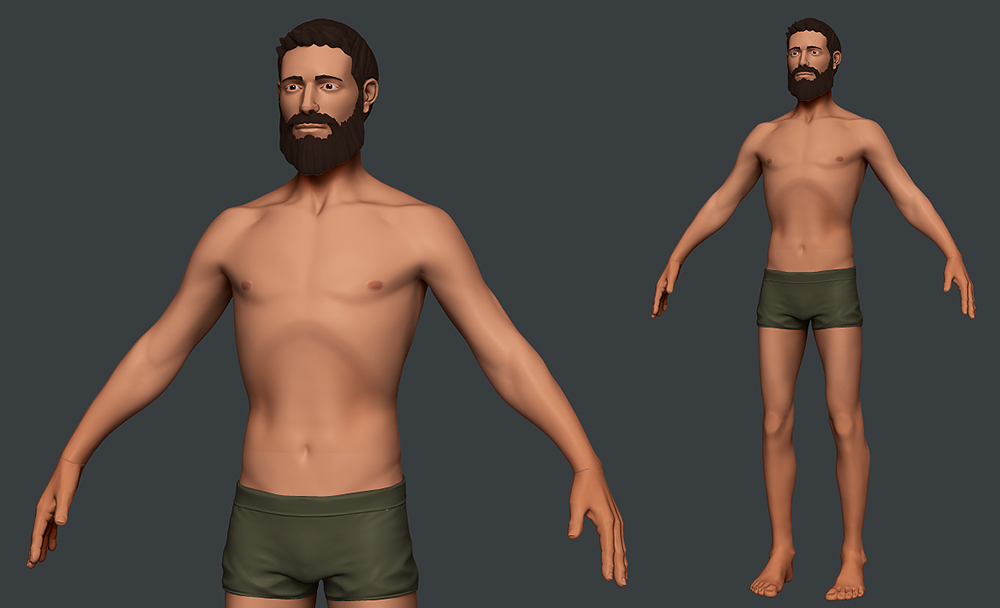
After landing on a style we liked, the character was taken to it’s game ready state where we realized the style did not sit right with the low polygon limit. After a few more style iterations we decided taking the character back to basics would be the best bet, so I’ve essentially done an anatomically correct version of the original character with updated proportions and face while still staying true to the look and feel of the original character, hopefully this will be a familiar face to you all. Due to the styling challenges we ran into, the female character has been put on hold for another week, allowing us to work on making the character look great in game, a process which transfers to all other characters.