Spencer
Hey folks. This week I’ve been making leaps and bounds on bringing content systems up to a playable state. I started the week working with cow_trix to bring the icon rendering to a decent level of output quality and managed to get them looking pretty nice as a baseline. Besides working on fixing the icon aliasing issues that cow_trix describes below, I also spent some time posing and configuring how things are rendered, I gotta say this system is awesome. Currently there is just a simple black glow around items to make them pop, but the system supports some pretty amazing stuff like animated glowing backgrounds on rare items, HDR rendering so we can do things like having blooming glows n stuff and eventually rotating 3d views of the icon.

Lighting on icon rendering still needs work but am waiting on some bugs in world light bleeding in to be fixed before polishing that up.

Persistant world items
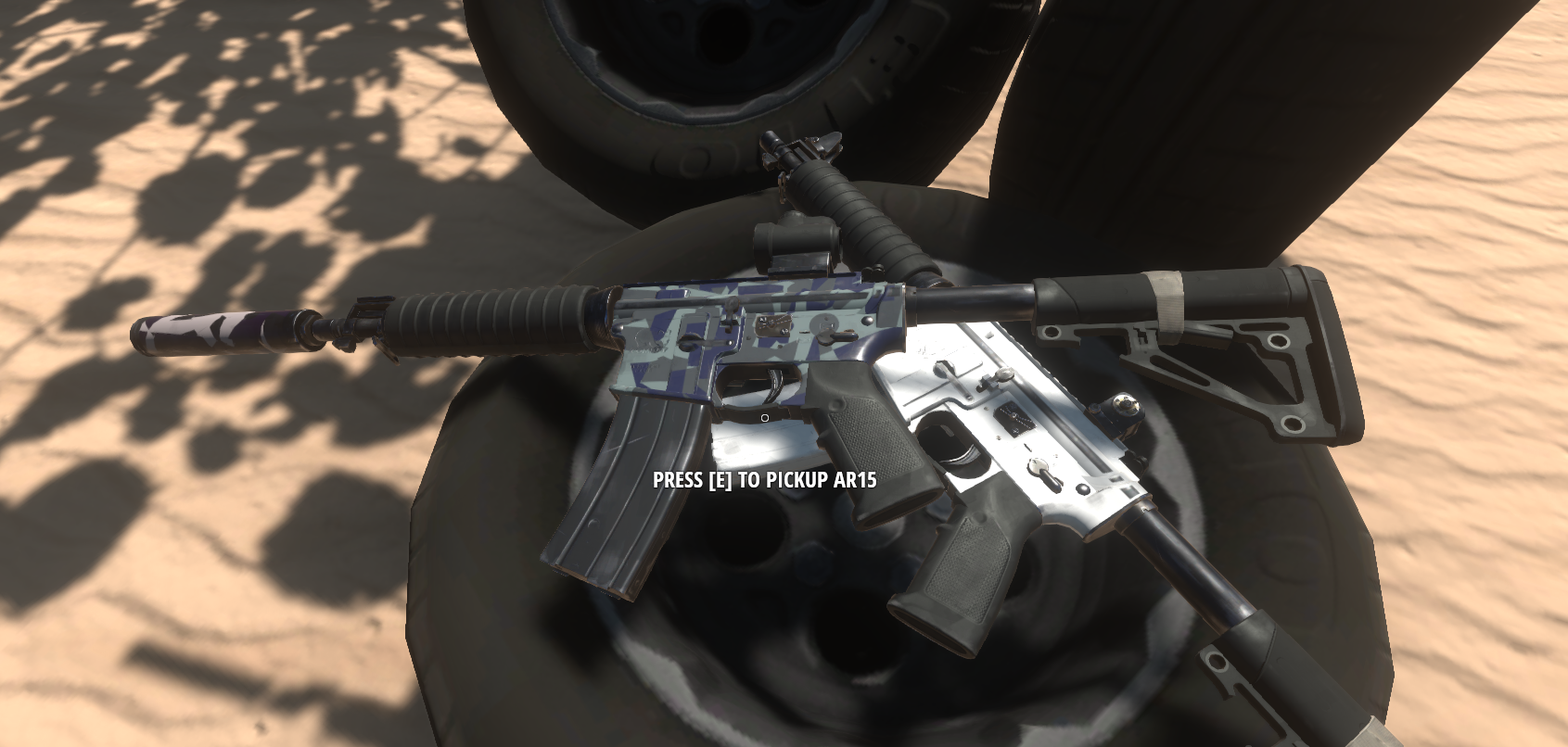
Now that everything renders as their correct world items, I really want to incorporate more things in the world that will remain where you left them in world item form instead of despawning. I envision things like your garage having a stack of wheels in the corner, your favorite rifle lent up against the wall etc. I think this will make the world feel a lot more interactive, and the lodding work Tom has done on the vehicles will soon be applied to everything, meaning we should be able to handle enormous amounts of world items without a perf impact.
Content progress
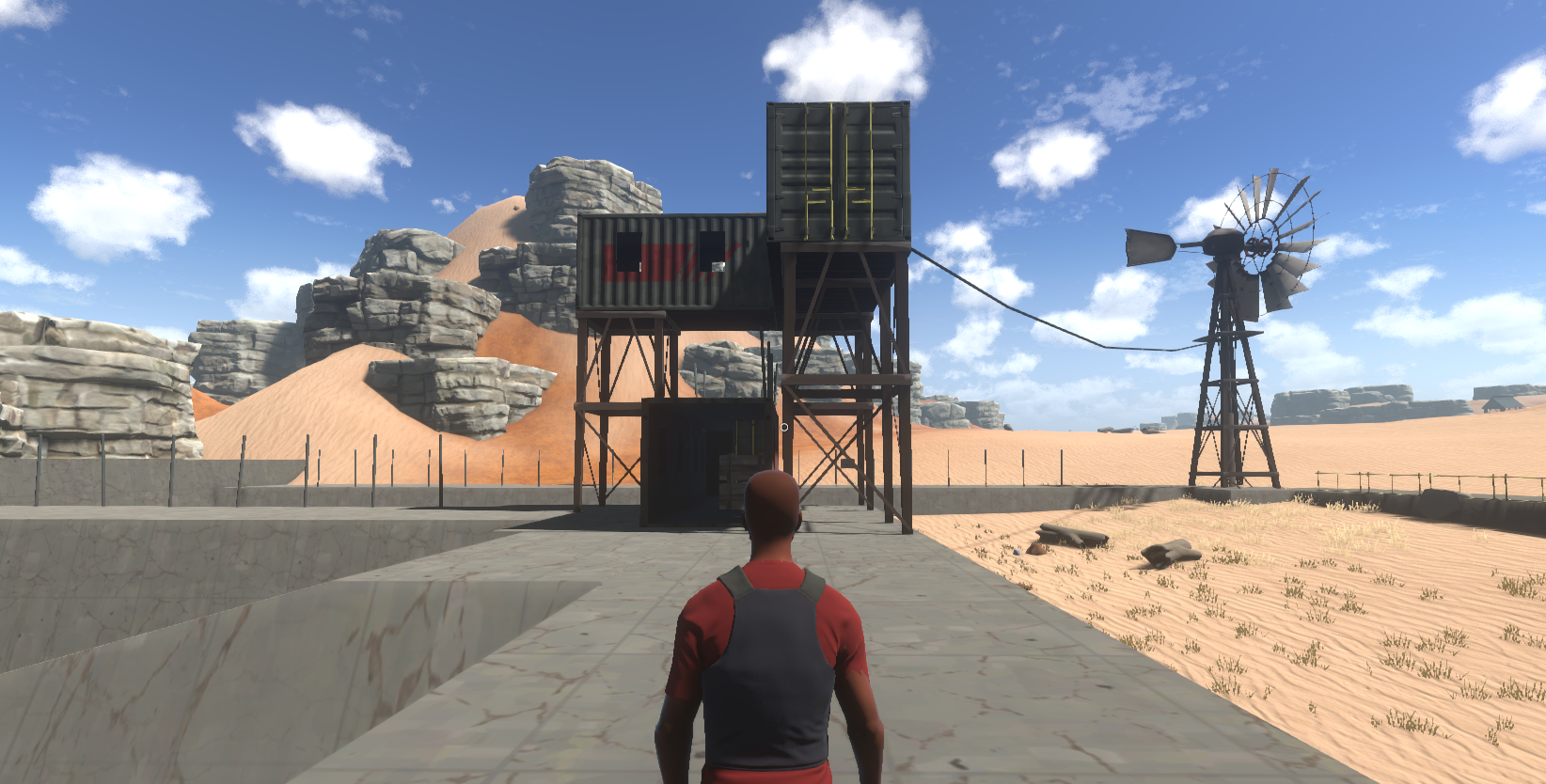
I finished my first iteration of the prototype loot hunt progression this week. Part of this was going back through the map generation tools cow_trix built a few months back and designing up a procedural map that fits with this new prototype progression. Once I had a simple test biome generated in our nullius test map, I created an automatic creature level map clamping to each 5 levels (meaning creatures go up by 5 levels on each border).
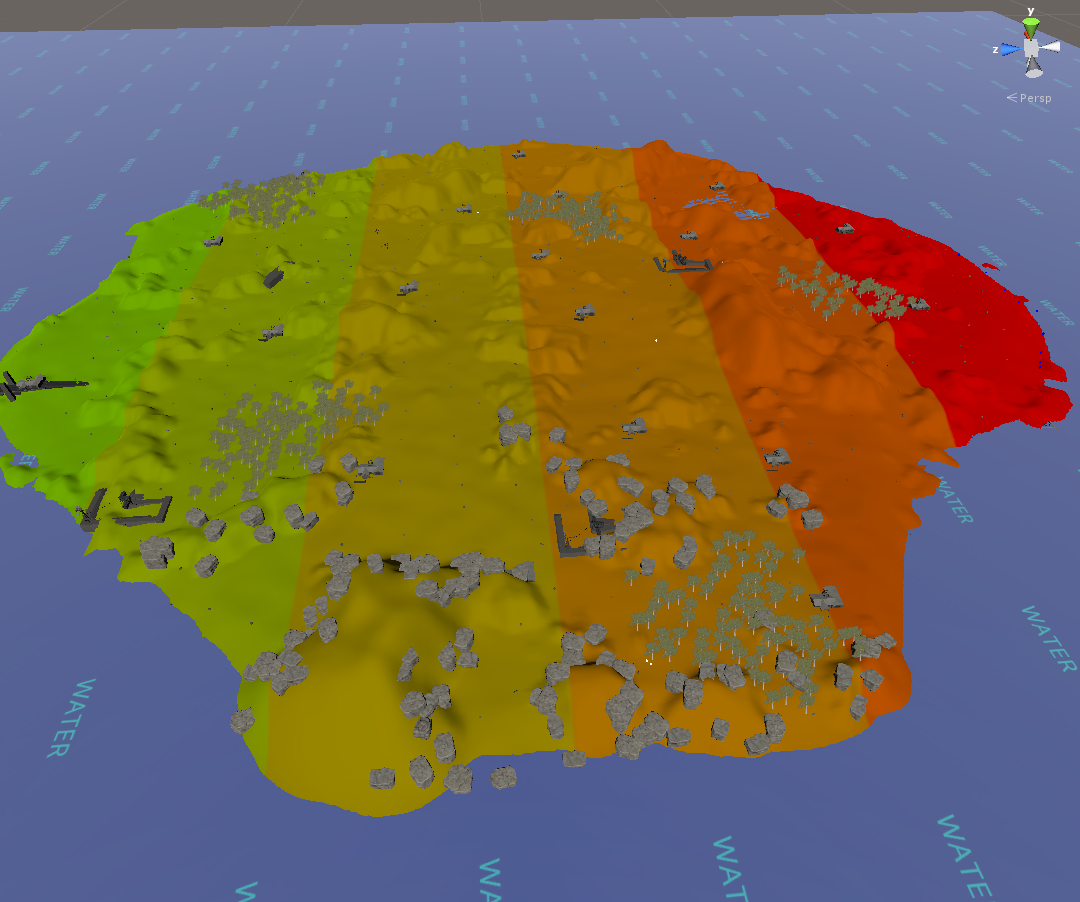
I would say as far as the test went, it was not great. Using blueprints as the loot hunt target at the early stage of the game feels pretty shit when you are gated by some mechanic until you can find a blueprint that gives you the stats that you want. I was ending up with 5 bow blueprints when all I needed was to be able to craft a better axe.
I was hoping to do away with the giant list of blueprints that you can craft from birth, but as this sucks I am going to push these mechanics further into the late game and we will ease into them. Another thing that seems like it should be a solid rule, is not to gate the player using a rare drop. Rare drops should give welcome bonuses, but not be the only way to progress.
The second problem I came across was it being very hard to tell how the difficulty of the world has progressed as you run through it. Having creatures with slightly different colors doesn’t give a good indication of how much they will mess you up if you fight them. MMOs usually allow you to look at an enemies level before fighting it, I’m not really a fan of this but might give it a try this week and see. Not to mention the aggro range on creatures being very long, you never really know who you are picking a fight with until they appear behind you. On this note I will be reducing the granularity of the creature spawn levels to be more hand crafted rather than a one size fits all approach. The good news is, handcrafted creatures with different properties are really easy to manage now due to the creature spawn mutator system, so not much time wasted.
Now that the game is playable again in survival, the iteration should be much faster. I will be rolling back to something closer to legacy for the next iteration and try using the new elements we have introduced as an extension to the original structure, rather than a replacement. While focusing on balancing for full loot.
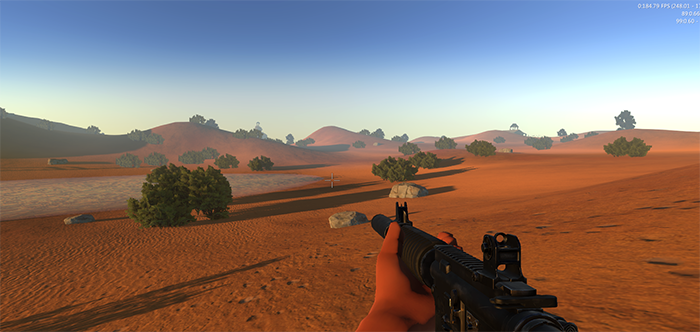
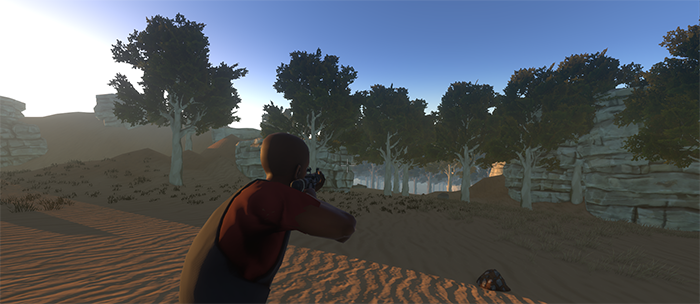
Lastly here are a couple of the new biome experiments I liked throughout the week

Mils
I climbed LOD mountain this week. I made 3 LOD’s for all the current AR15 models. We can now use these to test various systems that require LOD’s. I completed all the Normal maps, UV layouts and texturing on a new Iron Sight for the AR15. This Iron Sight is very simplistic and gives the gun quite a different silhouette. I also got started on the next magazine, which is a cast plastic type, as opposed to the folded steel that the first magazine was made out of.

I before I got onto the Simplistic Iron Sight (above) I got stuck into this more techy looking sight. I was going to go ahead and bring that up to finish, but Spencer said he wanted something simpler. I’ll get round to this one eventually though, so no work wasted here.

Tom
This week I continued my work on the mesh combining / baking system, ran some promising experiments with optimising our animation systems, setup our ragdolls to work the mesh combiner as well as a couple of bugfixes in ItemV2.
The work on the mesh combining system is coming along well although a little slower than I hoped. I’ve resolved the complexity around custom uv replacement and the threadsafe job dispatcher/consumer is working well but importing our assets into the new format, taking the system out of a testbed, integrating it with the game and updating our tools accordingly is still giving me some troubles. With that said I’m making good progress and am aiming to have it fully completed (with the LOD system) by the end of the easter break.
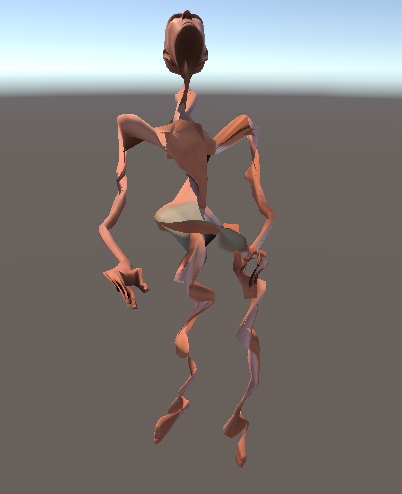
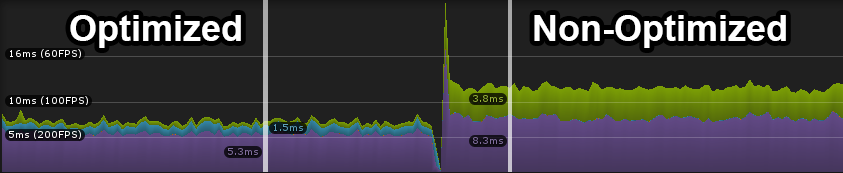
I ran some experiments optimising our animators using some inbuilt Unity functions where Unity will remove your skeleton hierarchy of game objects and instead write the transform matricies (basically the new position, rotation and scale of the bones after animation) directly to the mesh. This reduces a lot of load on the CPU around transform management and skin deformation (calculating how the bones move each vertex on the mesh). This system isn’t designed to handle runtime mesh generation (like our new mesh combiner) and its internal workings are hidden so my first experiments didn’t go so well but they did produce some pretty frightening characters.
Luckily I got this under control and was able to optimise our baked meshes in a test environment and the results look promising. The shot below is from the profiler running 100 animated players, after optimization around 3ms is saved on the animator updates (the purple part, saved from transform management) and another 3ms is saved from mesh skinning (the green part).
TehSplatt
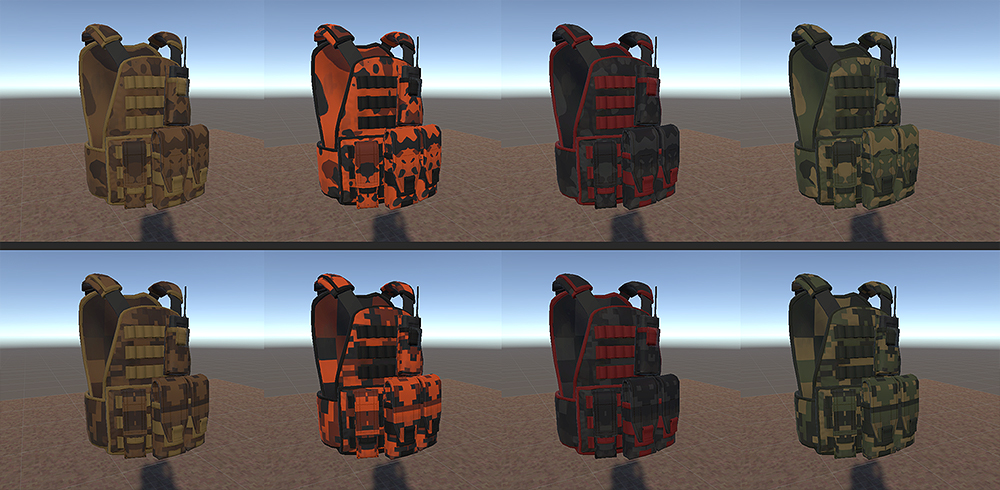
So after sorting out my workflow for sculpting and baking for Hurtworld last week, this week was spent going over a few different levels of texture detail before landing on one that looked good in game, the hard part is adding enough detail to define a material without adding to much causing the normal map to become noisy and distracting in game. After a day and a half of trial and error getting the vest in game and on the player it read well and looked decent with the basic textures. Today I got used to setting up my textures for RGB masking and had to beat out a few texturing habits I still have from working on mobile games. Due to needing 4 colour channels but only having 3 we used one of the colour channels at 50% of itself throughout the camo patterns, as most camo consists of 2 values of the same colour, which worked out really well and makes choosing good looking colour schemes a bit easier. These were some of the basic colour schemes I made using a toned down version of our colour masking shader. A lot of potential for good looking unique colour schemes.
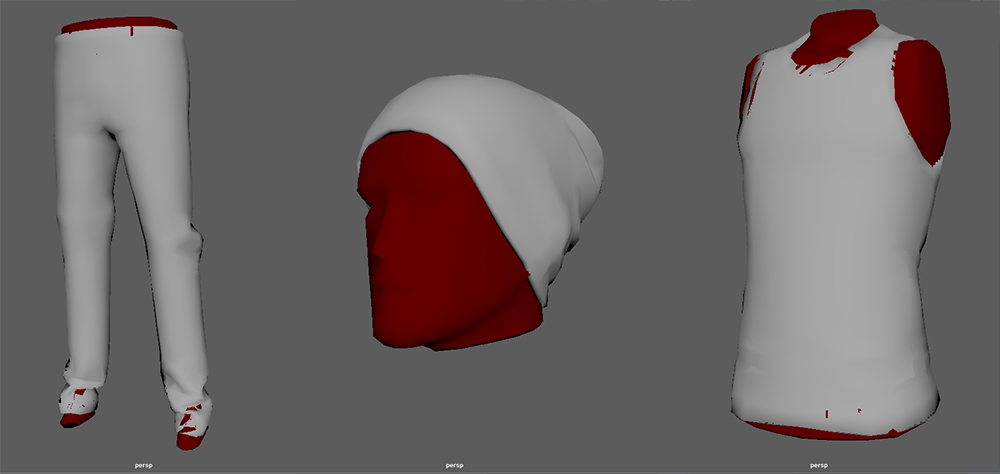
I also spent a day capping items of clothing (the caps are in red) so that when they are rendered for icons or dropped in the world you can’t see massive holes in them that would appear see through due to 1 sided faces. Ignore the red you can see clipping through the clothing, that’s just Maya view port errors.
Cow_Trix
Hey folks! This week I’ve mostly been fixing bugs in the new item rendering and world item system, as well as playing a bit more with it and seeing what it can do. I implemented a pretty cool icon effects system, which is a nice little system for blitting a rendertexture through arbitrary amounts of image effects. With this, we can add glows, drop-shadows, backgrounds, foregrounds, pretty much whatever we want! I’m still working out the best way to handle animated effects without bringing FPS to a halt. More on this soon!
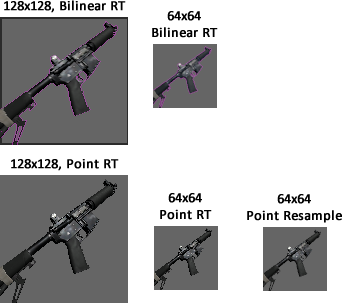
So one issue we found with the icon rendering was trouble blending a texture into an arbitrary background. We found that the camera background would bleed into the image when we let it sample bilinearly. This created a “halo” around the render of the background color, even at native resolution – you can see this below where we’ve changed the background color to magenta to make it more obvious. We spent a bit of time figuring out a good solution to this issue. We figured out that the only real way we could prevent the background color from bleeding in was to sample the rendertexture in point mode, which means we don’t blend between pixel data. However, this also means that we get some pretty bad aliasing on the icon, especially around the edges. So we pretty much wrote a custom downsample shader that does what a normal bilinear sample does, but is smart enough to premultiply alpha so we don’t get any background bleed. Check it out below:
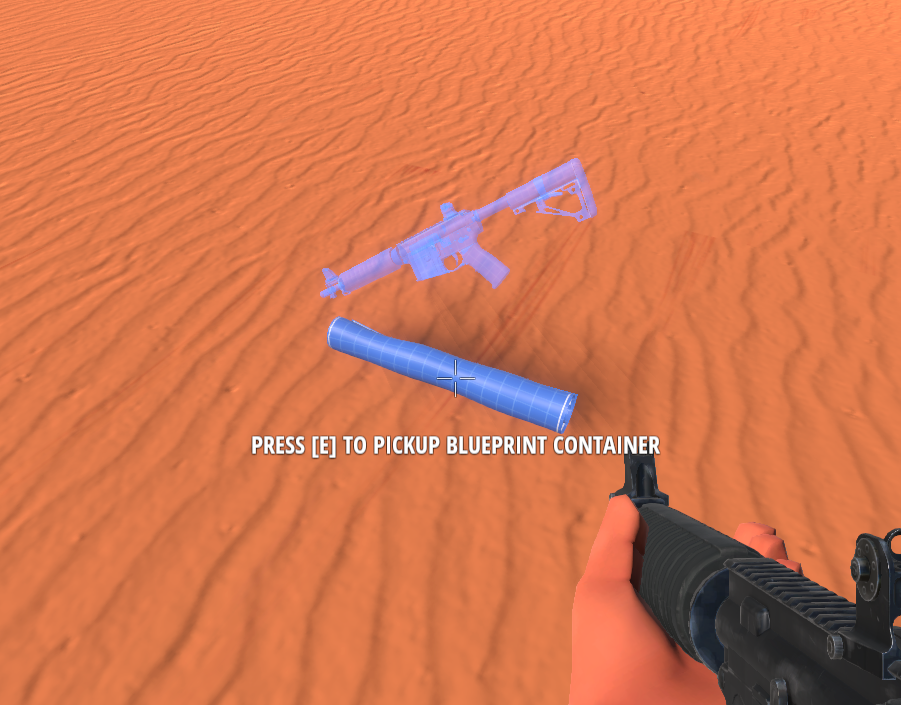
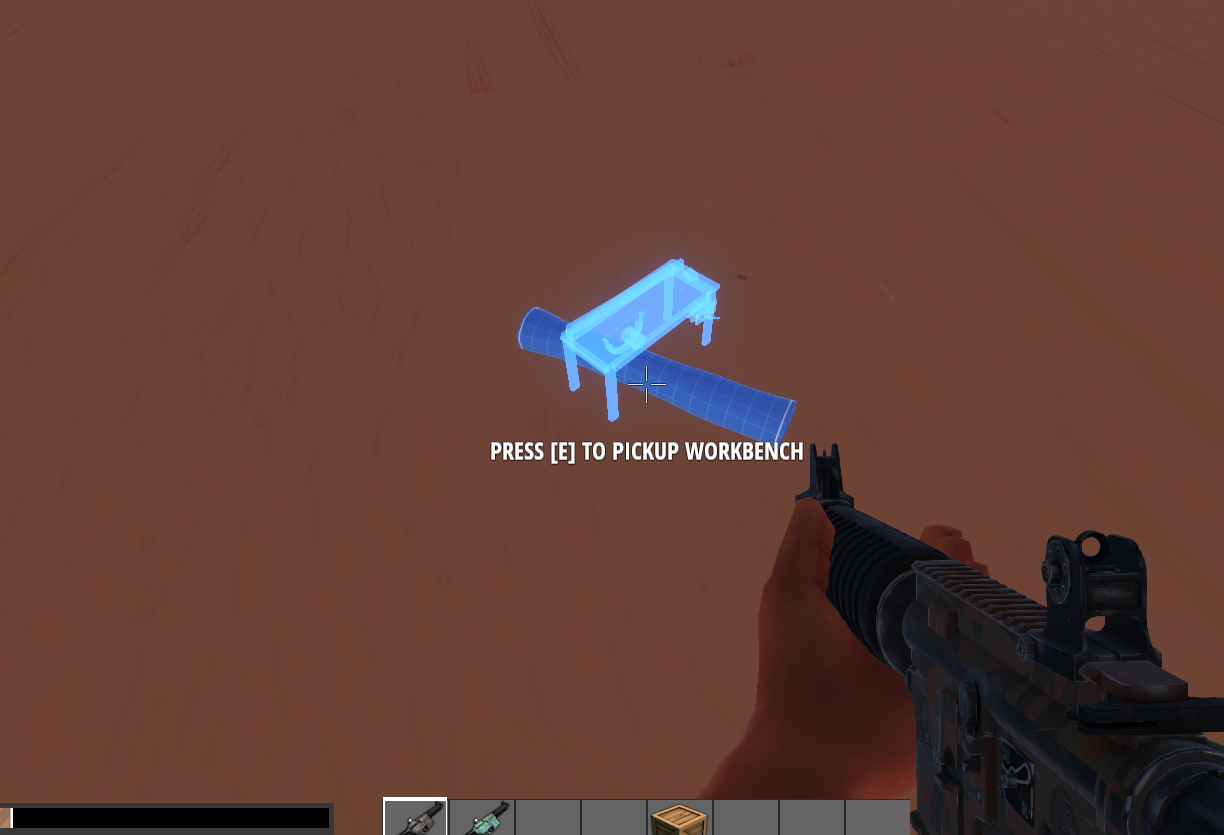
As well as fixing a bunch of bugs, I played around with how blueprints could appear in the world. You can see here a prototype where hovering over a blueprint shows a “hologram” of the item you craft with it.