Tom
This week I worked on the recently released 0.4.5.0 experimental and 0.3.8.8 master patches.
I was hoping to spend this week polishing up the Antor and DartBug iterating on their behaviour and balance but I ran into problems getting the game to build properly and also suffered a local git repository corruption that left me with less time than I was planning on and things ended up a bit rushed leading to some bugs and also a bit of a performance regression there wasn’t time to properly deal with (we’ll be dealing with these issues this week).
To avoid this in the future I’ll be making a more concerted effort to get the build finished up in the week prior so we have the final week purely for testing and any emergency changes.
SendBufferSize
The 0.3.8.8 master patch addressed a critical exploit where players were able to alter their send buffer size. The send buffer is memory that gets reserved by the network socket that connects to the hurtworld server. It uses this memory to send messages to the server with info like your input and position in the world. Players were lowering their buffer size so low that there wasn’t enough memory to send any of these updates allowing client and server to get totally out of sync but because the socket still retained the connection the player would never be kicked.
If you’re a server owner you may have seen the warning in your log file about the sendbuffer being full when the server gets really busy. This occurs when the server is trying to send too much data in a single frame to a player and the socket starts throwing errors when asked to send packets. Luckily this isn’t a critical problem as any important data will be sent through a reliable call meaning if the packet containing this call is dropped due to the buffer being full it will just be resent in the next frame.
This means the message is a warning and not an error, it’s an indication something is wrong not the actual problem itself (the problem is too much data being sent by something), we are planning a pass on server performance that should address this and other server issues before ItemV2’s full release.
First up this coming week will be addressing the critical issues in 0.4.5.0 which seem to be mostly with the spawning system more specifically with the Antor nodes not respawning properly and town loot caches not spawning at all.
I’m also hoping to address a few long standing AI bugs that cause desyncs between client and server making creatures show up in the wrong location appearing non-responsive as well as some bugs with the new creature sounds.
TEHSPLATT
Hello, this week I dived head first into a new work flow I’ve been slowly heading towards, it was a hell of a lot of work to get everything optimized and making sense, but in the end it worked out pretty good. Usually I would give myself a bit of time to sort out the best way to do something but this time round I felt like doing the task the normal way would be wasting a lot more time in the long run. I’ve been playing around with a program called Substance Designer and had specifically been working on ways to make good looking proceduraly generated rocks and cliff faces within Substance Designer, but I felt like I was at a point where I could save a lot of time by extracting what I was doing in Substance to achieve the task of new cliff rocks. First up I had to create a half decent looking cliff face height map within Substance, this allowed me to randomly generate height data over and over without having to manually change anything which is a huge step up from re-sculpting details over and over.
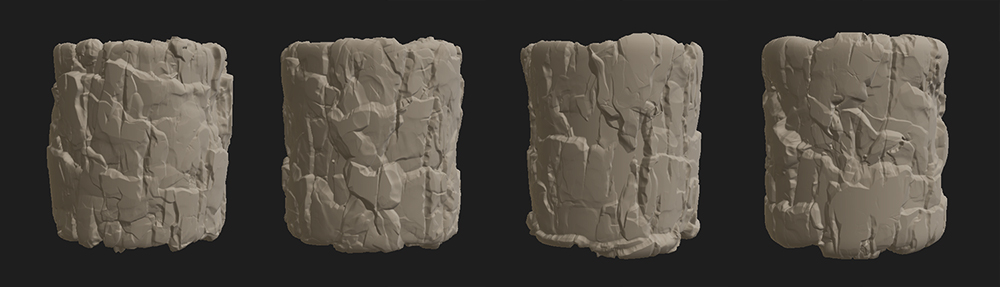
I then took this height data and turned it into geometry to take through the normal pipeline, this brought its own huge set of kinks that I had to work out. We decided set pieces that fit nicely together would be the best option for placing them. While I feel like there’s a lot that could be done better, I am extremely happy with how easy this work flow is going to make other big under-takings like this. Here’s the large set pieces covering an area where there’s a sudden change in the height map.
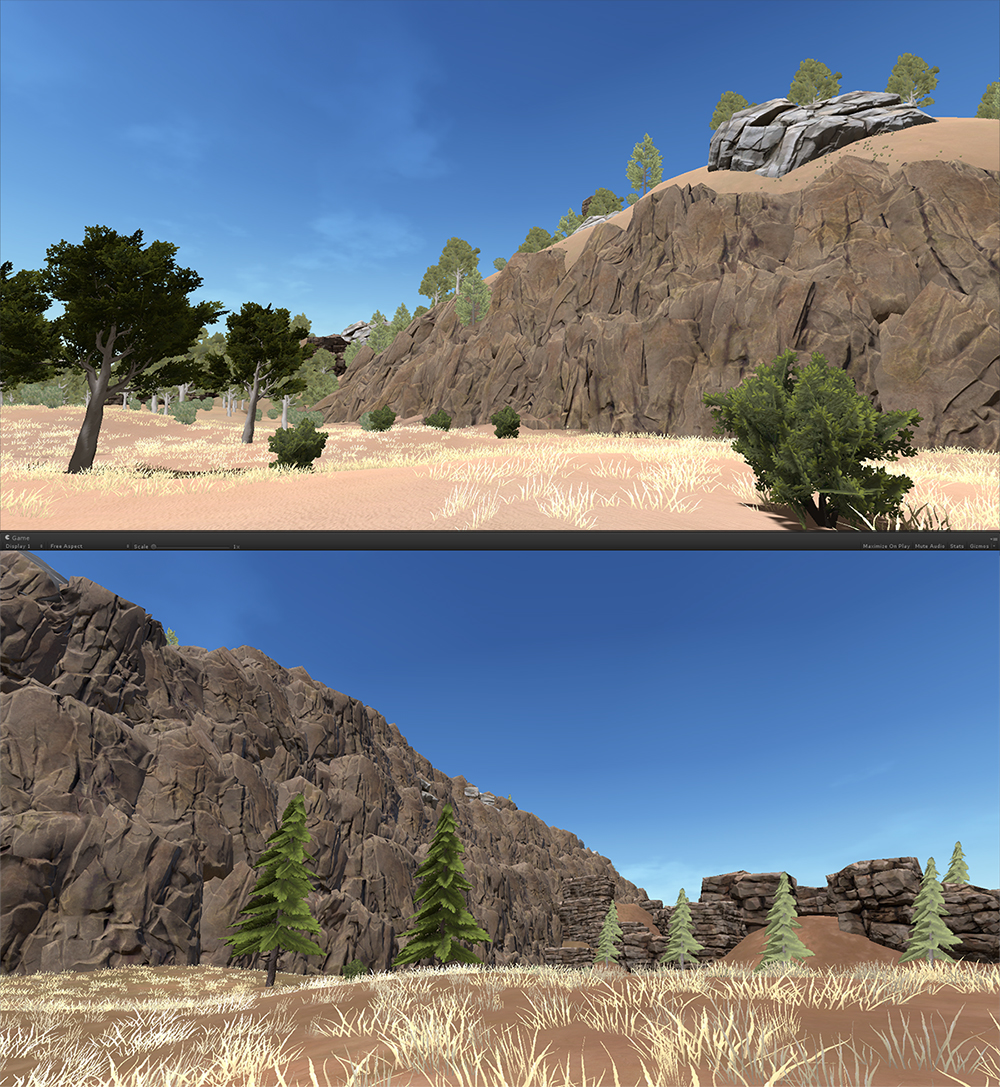
Another thing I had a go at was concepting focal points in the map and trying to imagine how it would flow together instead of just creating little scenes with no idea where exactly they would go. I’m not a great concept artist so this is extremely rough and also unfinished but it does allow me to visualize the focal points we want to add in the map. The main challenge we are facing at the moment is stopping the build biome from feeling like its a constant wave of rolling hills by filling it with interesting stuff but also leaving lots of room to build bases, to achieve this we are trying to separate patches of land with interesting ground textures and different foliage, like you see on farms. I would really like to change the warmness and over all feeling parts of the map give you my gradually moving the colour pallet at different ends of the map, but I don’t want to get ahead of myself.

Mils
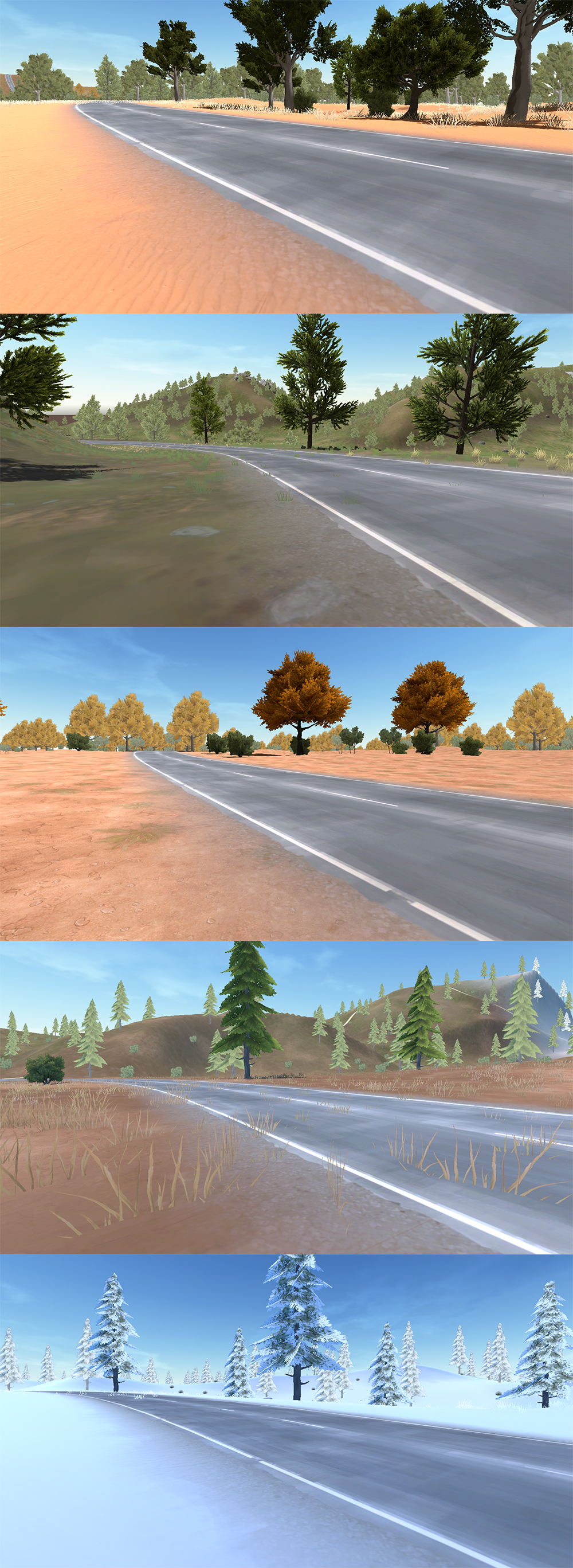
I got a moon tan whilst on holiday these last 10 days. I did get some stuff done on the roads before I left for holiday town. I did a little more work today also, so the culmination you can see in the images below.
I was pleasantly surprised by CowTrix’ new road shader that uses some decal magic to blend the road edges with the terrains and additionally between biomes. This seems to be a kickass solution for the roads and I have managed to make one texture that looks good in all the biomes at the same time. We may make additional textures if this texture looks bad in future biomes but It’s nice that this suits them all for now. I am also working on the Unsealed Roads mesh and textures to bring them in line with the Asphalt Roads.
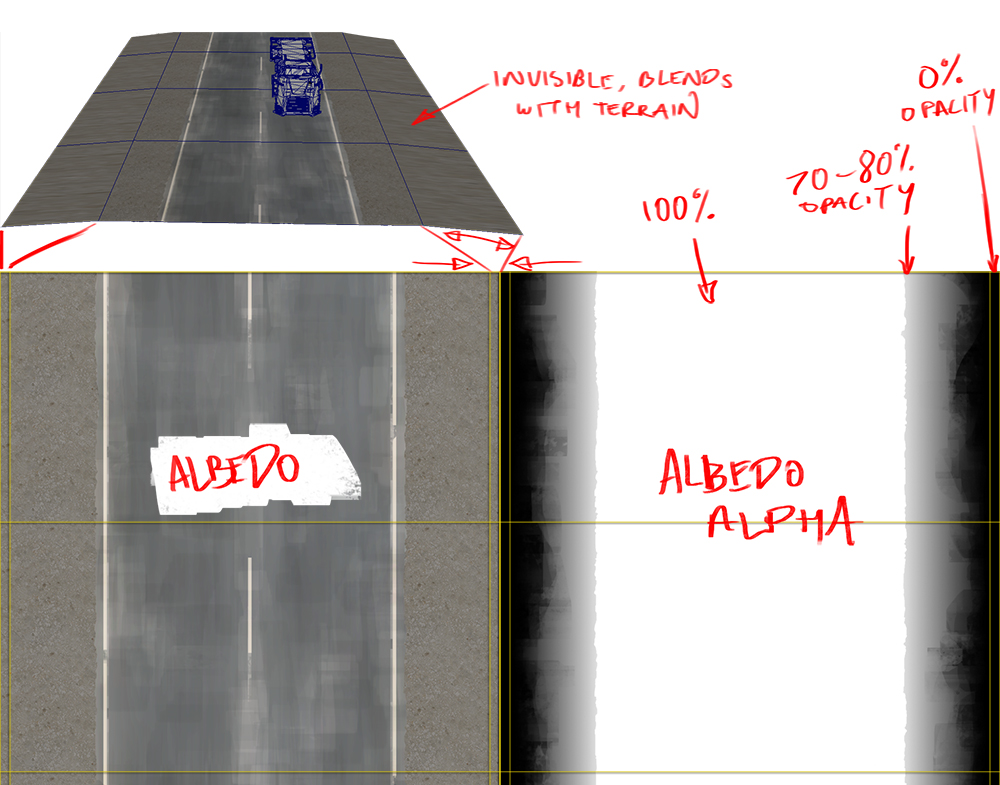
Here’s a little diagram to show the tricks used to make the road. We made the outer shoulder strip of poly’s large in World Space, but very thin in UV space. This was so we didn’t waste texture space, since the alpha specifies the outer shoulder strip to be invisible and instead inherit it’s information from the terrain underneath. The Asphalt part of the road has 100% white, to denote that it does not receive any colour & normal information from the terrain. Moving out from the edge of the Asphalt, there is a roughened gradient that starts at about 70-80% white. This helped the colour information blend with the splat underneath making it blend nicely and look like part of the scene. It’s a nice workflow, so much better results than the previous road scenario.
Cow_Trix
Heya folks. This previous week I’ve been working on the next iteration of the map , which is probably going to be my task for the coming week as well. This next iteration will include a new Red Desert biome that Spencer and Luka are working on, some new assets of Luka’s, and a tweaked layout. I reworked a lot of how the road tool works to get better results when we want to do complicated things, and finally got my head around the decal system for Unity surface shaders, that solves a lot of the road blending issues we were having.
You may remember in some previous blog posts we’ve talked about blending the roads with the terrain, and we came up with some pretty complex ways of doing it that involved things like storing a massive texture of the normal map of the terrain, and so on and so forth. However it was seeming to be a bit of a nightmare to really get this solution looking good, so I had another go at comprehending the Unity decal surface shader functions. Basically, in deferred shading, every model renders a bunch of information to something called the GBuffer. The GBuffer contains information like the albedo, occlusion, specular, etc. With decals, we can make shaders that modify the GBuffer, instead of overwriting it, which is perfect for roads! Check out Mils’ post for a screenshot of this shader in action.
I also vastly improved stamping and terrain recalculating performance, as I realised how much time we were spending getting the combined information from the layers below the currently calculating layer. A quick caching system for this data increased speeds by about 50% across the board for most operations.
I also wanted to push the road tool a bit further this iteration, and see what it can do. I experimented with a river preset, and a suspended bridge. Check it out!
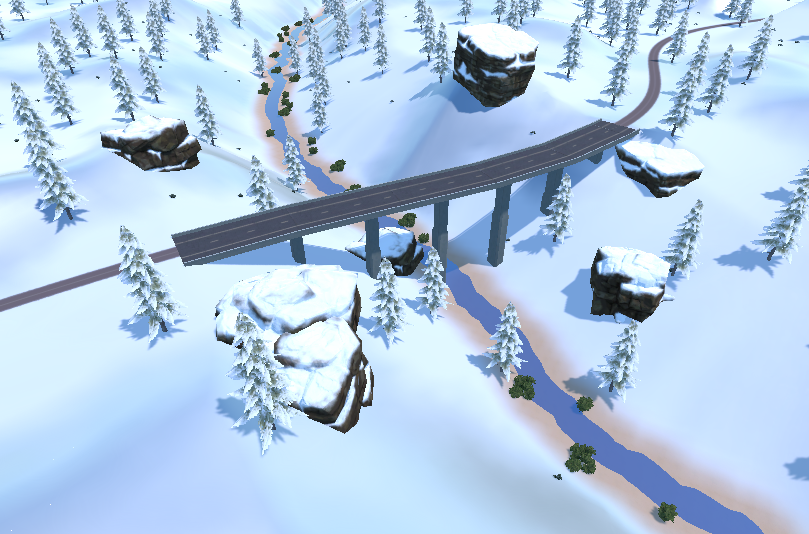
Looking forward to getting this next iteration of the map out to you all, which will feature a bigger build biome, and more interesting features and landscapers. Stay tuned.
Spencer
This week I’ve been working on the heat progression and designing the red desert part section that will be rolling out in mangatang next week. I know I mentioned there would be a full progression going out next week, since then we’ve decided to shrink the scope a fair bit since we had also planned a large iteration on the build biome. This would mean multiple new biomes (not just ones pulled from legacy), plus designing an entire content progression. We decided to focus on one rolling out the red desert plus updating the build biome as not to spread our selves too thin.
We’ve been iterating a lot lately on our map development tools, and focusing on workflows that allow us to author more unique elements. This iteration we’re testing a workflow of authoring complete biomes separately before integrating them into the map. This allows much more granularity over how elements of the map fit together in a cohesive way. Instead of throwing 20 stamps at Cow_Trix and leaving it up to him to throw them together in a random order, I can design the flow of the map including where roads lie, how different areas blend together and ultimately iterate over what looks like a final product without having to work in the final map scene. The final map scene is getting pretty massive and hard to work with, this lets us prototype smaller chunks without wasting work.
To start the macro look of the biome, I’ve been back into World Machine to create something of a hybrid between Utah and Darwin. These features will be much larger than our classic biomes, and will serve more as landmarks that overshadow the smaller valleys and focal points.
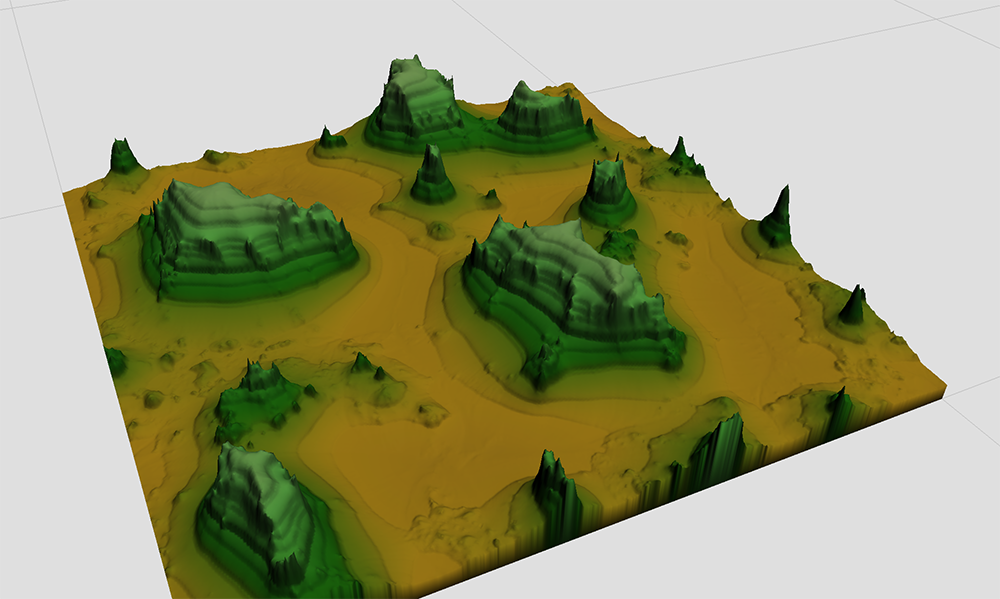
From there I spent a bit of time in MapMagic running some procedural texturing tests based on heights which looks pretty cool
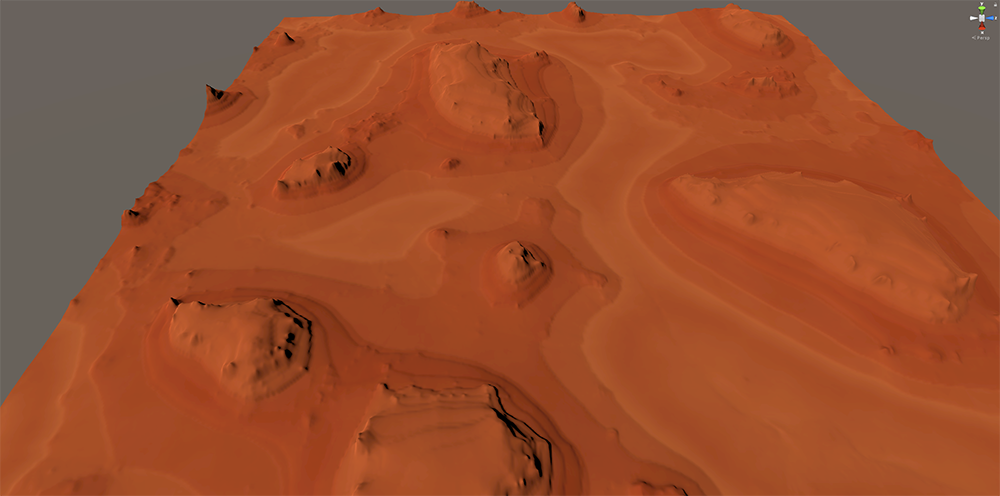
With this as a canvas I am now starting to create smaller occlusion focal points within the negative space and connecting focal points with long roads.
Gameplay Flow
Without a full fledged progression in the red desert, the main focus will become vehicles. Finding vehicles has always been a sloppy mechanic and been very hard to balance. My aim with the red desert in this iteration is to give players a way to focus on building a vehicle in a reasonable amount of time.
You won’t need to progress through all theirs to reach this biome, meaning at an early stage you can choose aiming for a vehicle, or aiming for better PVP/PVE gear. Finding each vehicle will vary in difficulty and likely require first building a goat before progressing to kanga / roach.
This patch is scheduled for release on Friday the 22nd of September at 5pm Melbourne time.